Introducing our brand-new retailer dashboard – a completely new landing page showing you what’s important in your Promoboxx account!
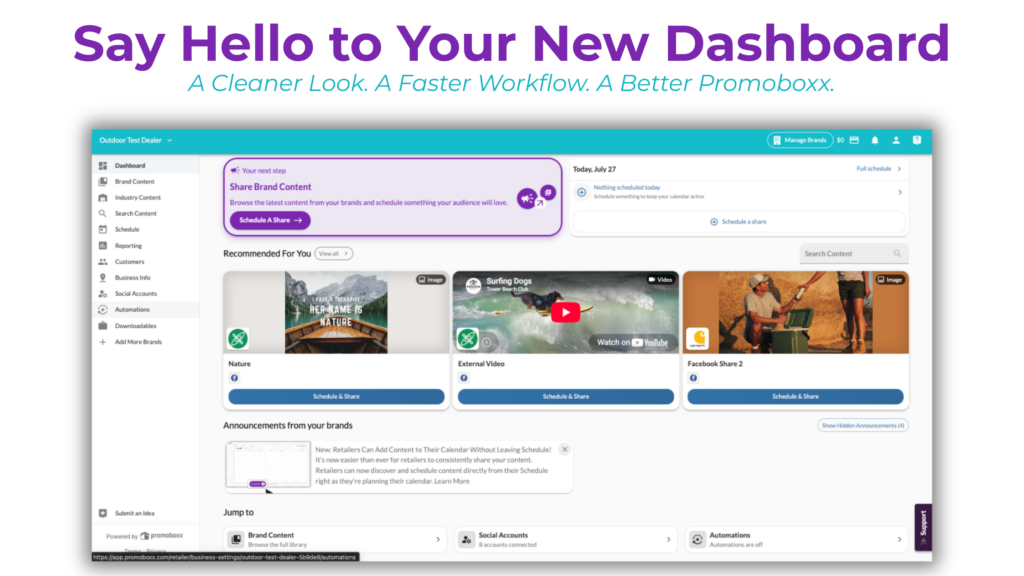
Here’s what you will find on your new dashboard:
A”Your next step” section that shows the most important action you should take next
A “Today’s Schedule” card showing what content you have going live today
“Recommended For You” quick-share cards for fast, one-click scheduling
“Announcements from your brands” are bulletins directly from your connected brands about relevant happenings
“Jump to” navigation tiles for quick access to key pages
Your Next Step Bulletin
The bulletin changes its message based on your most relevant next action, such as:
Connecting social accounts
Setting up an automation
Check out paid ads
Discover industry content
Reporting, and more
Today’s Schedule Card
Shows today’s scheduled shares at a glance, with a “Full schedule →” link to your Schedule page
You can also schedule a share directly from here with the “Schedule a share“button!
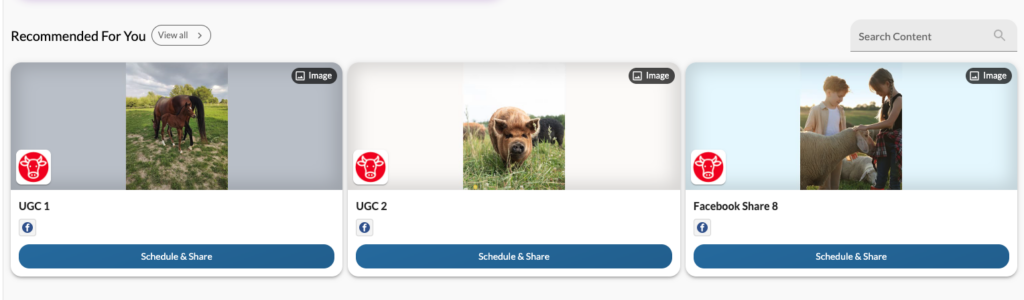
Recommended For You Quick Shares
Shows you recommended shares you can act on right away with the “Schedule & Share” button
Recommendations are that day’s available content that the brand hasn’t already shared or scheduled for you yet
The “View all →” button opens the full recommended shares list
Announcements from Your Brands
Here you will see relevant information or announcements from your brands
You can dismiss an announcement at any time by hitting the X in the upper righthand corner
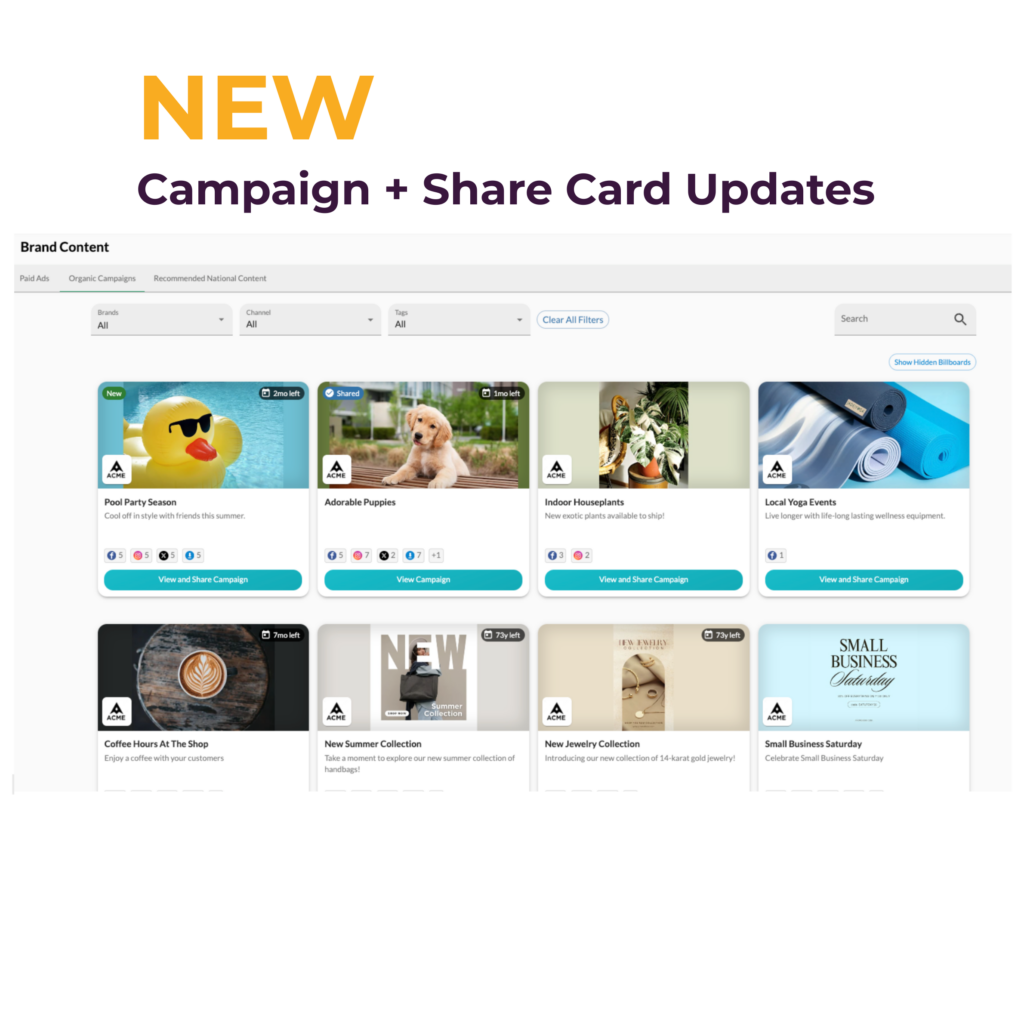
A Fresh Look for Campaigns and Shares
We also gave the campaign experience a visual refresh, focused on the views you use most: campaign cards and share cards.
The new design makes it easier to see what’s new at a glance, know exactly what you’ve already shared, and find everything available to you in one place, all without digging through menus.
Log in and browse your content to see the new look for yourself!
As always, if you have questions or want a walkthrough, our support team is here to help.